> For the complete documentation index, see [llms.txt](https://docs.fieldsraven.app/llms.txt). Markdown versions of documentation pages are available by appending `.md` to page URLs; this page is available as [Markdown](https://docs.fieldsraven.app/troubleshooting.md).

# Troubleshooting

## Finding pages in Shopify Admin

FieldsRaven uses Shopify Admin's app sidebar for navigation. The FieldsRaven app name or icon opens the **Dashboard**; the visible rows are **Ravens**, **Approvals**, **Needs attention**, **Settings**, and **Help & Support**.

Fields do not have a separate sidebar row. To review a submission awaiting approval, open **Approvals → Waiting** and choose **Review**, or use its **Review** link in Dashboard **Recent activity**. Use **Needs attention** for failed or held submissions and metaobject sync failures. Field review pages use stable top-level `/fields/<id>/edit` addresses; older numeric `/shops/<shop-id>/...` bookmarks redirect temporarily to their shopless destination. If a copied link opens outside the embedded app or cannot restore the shop session, reopen FieldsRaven from **Shopify Admin → Apps** and navigate from the sidebar.

Successful actions appear as a neutral Shopify toast and dismiss after about five seconds. Errors and alerts stay in a red message at the top of the page until you navigate away, so you have time to read and resolve them.

## Check that your store reaches FieldsRaven

If submissions never arrive, first check that your storefront's app proxy reaches FieldsRaven. Open `https://<your-store>.myshopify.com/apps/raven/status` in a browser. It should show:

```json
{"ok":true}
```

Some browsers display it formatted, as `ok: true`.

That only means the store's app proxy is connected. It does not check a Raven, a field, or an integration.

* **Your store has a password page.** Enter the storefront password first, then open the address again. Until you do, the store sends every visitor to its password page.
* **You changed the app proxy path.** If you changed the proxy prefix or subpath in Shopify Admin, use your path instead of `/apps/raven`.
* **You opened `/apps/raven` itself.** It shows a short "There's nothing at this address." page in your theme. That is expected: FieldsRaven has no storefront page of its own there.

## Rejections — `422`

A rejected submission returns **422** with the reason in `message`. The messages below come straight from the app, so you can match on them.

### Raven not found

`Raven ID is missing or raven can't be found`

The `raven_id` you sent doesn't resolve to a raven **on this shop**. Usual causes: a typo, a raven that was deleted, or an id copied from a different store — a raven id is scoped to one shop, so a dev-store id will not work in production.

### Raven is switched off

`Raven is inactive, activate it to be able to send messages`

The raven resolves fine — it's just not active. Switch it on in the app; nothing in your storefront code needs to change.

### Signature rejected

A 422 whose `message` is an **object**, not a string:

```json
{ "message": { "valid_params": true, "valid_auth_code": false } }
```

Match on `message.valid_auth_code === false`, not on any text. The signature didn't match. `raven_mac` is an HMAC over `raven_id + resource_id`, keyed by your shop's `fields_raven.api_secret` metafield. It fails when:

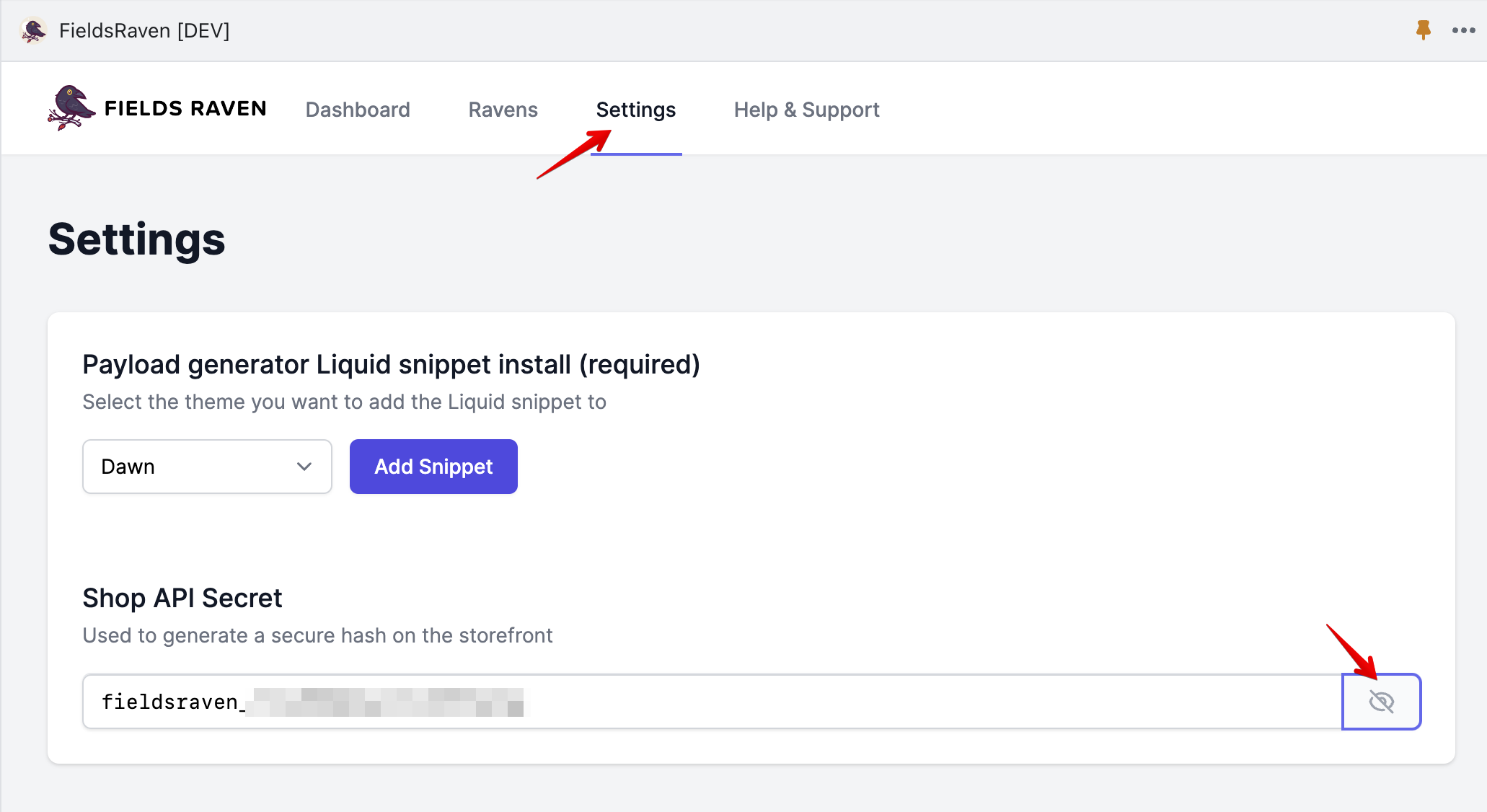
* **The secret is missing from the shop.** It's written at install, but occasionally that write fails. Check Settings — the secret is shown behind the eye icon. If it's absent, [reach out](mailto:karim@fieldsraven.app).
* **The digest was built from different values than the ones sent.** The signed `resource_id` must be byte-identical to the `resource_id` in the payload. Signing `customer.id` and sending a product id fails, and so does signing on one page and posting from another.
* **The MAC was generated for a different raven.** Each raven signs with its own id.

`valid_params` in the same object separates "your parameters were malformed" from "your signature was wrong" — check which one is `false` before hunting the signature.

{% hint style="info" %}
This is the shape returned by `/apps/raven/create_metafield`. The deprecated `/apps/raven/create_update_metafield` answers a missing raven or a bad signature with **400**, not 422 — if you are debugging an older integration, check the status code first.
{% endhint %}

### Customer email rejected

`Invalid customer email`

Only the email-as-identifier variant produces this: the address submitted isn't valid. For ordinary customer-owned ravens the customer id comes from the signed `resource_id`, so a logged-out visitor fails the signature check above rather than reaching this one — requests should be sent by a logged-in customer either way.

## Rate limiting — `429`

There are **two different 429s**, and they mean different things.

### Shopify throttled the write

A `429` **with** a `Retry-After` header.

The header carries Shopify's own suggested delay, in seconds. Wait that long, then retry — the submission was not recorded as failed, and for ordinary writes FieldsRaven retries in the background on your behalf.

### Your queue is too deep

A `429` **without** a `Retry-After` header.

Backpressure from FieldsRaven itself, not a Shopify limit. It clears as the queue drains. If it happens constantly rather than in bursts, you're submitting faster than Shopify will accept writes for your store; batch your submissions instead.

Generated code already handles the common case. If you hand-rolled your integration, treat a 429 as "retry shortly", never as a failed submission.

## Deletes

`DELETE /apps/raven/delete_metafield` has two responses worth handling explicitly:

* **422** — Shopify refused the delete, and the message is Shopify's own. **Older versions of FieldsRaven reported success regardless**, so if your integration predates that fix, it may be treating failed deletes as successful. Worth re-checking.
* **429** with `Retry-After` — as above.

The delete endpoint can also return **503** with JSON `code` and `message`. If `code` is `backlog_draining`, earlier work is still draining: retry later and do not tell the merchant to reconnect. If `code` is `reconnect_required`, the store needs reconnection by the merchant or support. If `code` is `upstream_unavailable`, Shopify or the connection was temporarily unavailable: retry later. Treat every 503 as an unsuccessful delete, but check whether the metafield is gone before retrying — a delete that timed out may still have completed. See [Delete a metafield](/code-examples/delete-a-metafield.md) for the exact response bodies and storefront handling.

```json
{"code":"backlog_draining","message":"This shop is processing pending operations. Please retry later."}
```

```json
{"code":"reconnect_required","message":"Please reconnect this shop and retry later."}
```

```json
{"code":"upstream_unavailable","message":"Shopify is unavailable. Please retry later."}
```

## The metafield saves, but the value is wrong or empty

* **Blank values are rejected for most types.** Values are validated against the metafield's type before being sent. Use a type-appropriate empty value — `0` for numbers, `{}` for JSON — and handle the display in Liquid. To remove a metafield entirely, use the delete endpoint.
* **A definition you created in Shopify admin may have validations of its own.** If the metafield was defined there with rules — a maximum length, an allowed-values list, a numeric range — Shopify enforces them on write, and the failure surfaces as an error from Shopify rather than from FieldsRaven. Make sure the value you send satisfies the definition, and that its type matches.

## The metafield doesn't appear immediately

Expected. A submission is accepted and acknowledged straight away, then written to Shopify in the background — so a `200` means *queued*, not *stored*. Add Shopify's own write time and its storefront cache on top. An unpublished theme reflects a new metafield sooner than a live one.

## Two forms on one page and only the first works

The second form never bound. Form ids and the JavaScript global are derived from the raven's **resource, namespace and key together**; if you hand-wrote identifiers from the key alone, two ravens sharing a key produce duplicate ids, and `getElementById` returns only the first.

Regenerate both snippets from the **Get Code** panel, which derives collision-safe identifiers for you. See [Quick Start](/quick-start.md).

## Raven settings conflicts and partial saves

FieldsRaven protects Raven settings with a revision check so that one browser tab cannot silently overwrite changes saved from another tab or process.

* **“This Raven changed in another session. Review the latest settings and try again.”** FieldsRaven did not apply your stale edit. The form now shows the latest saved settings; review them and submit your change again.
* **“Some remote changes may have completed, but this Raven was not saved…”** A Shopify definition, pin, or customer-link action may have completed before the local Raven save encountered a conflict. Inspect the refreshed Raven settings and the related Shopify definition before retrying so you do not assume nothing happened.
* **“This Raven was saved, but some remote follow-up work may be incomplete…”** The local Raven settings were saved. Review the Raven's current status and Shopify setup before retrying the unfinished remote work.

Do not repeatedly submit the stale form. Start from the refreshed state FieldsRaven displays, confirm what Shopify already applied, set the Raven to your intended final configuration, and submit it once.

## Metaobject sync issues

A metaobject failure never blocks the metafield write, so the submission's own status stays *success* and these are tracked separately — look at **Needs attention** and the dashboard status badges rather than the submission list. See [Metaobject sync](/metaobject-sync.md).

## Reconnect and pending operations

FieldsRaven keeps its Shopify connection fresh on its own. Occasionally it asks you to reconnect:

* **Open FieldsRaven from Shopify Admin → Apps.** That is the reconnect. If it still cannot reconnect, [contact support](mailto:karim@fieldsraven.app) with your store's `.myshopify.com` address and the time you saw the problem. Never send access tokens, API secrets, or screenshots that show them.
* **Do not uninstall and reinstall to fix it.** Uninstalling removes your Ravens, submissions and pending work from FieldsRaven. Metafields and metaobjects already written to Shopify stay in your store.
* **Storefront submissions wait while you reconnect.** They are written to Shopify in their original order once the connection is back. As always, a `200` means *queued*, not *stored*.
* **Waiting is limited.** Work that waits too long, or a very large backlog, stops replaying automatically and appears in **Needs attention** as failed, with a note asking you to contact support. It has no Retry button: check the value in Shopify and contact support before resubmitting.
* **Raven saves pause while earlier work catches up.** Until pending work has been written, saving a Raven shows *“We couldn't save this Raven. Please review the form and try again.”* If this appears while pending work is catching up, your form is fine — save again once it has cleared.

Storefront deletes during this time return a `503` — see [Deletes](#deletes). MCP clients receive `RECONNECT_REQUIRED` or `UPSTREAM_UNAVAILABLE` — see [Errors, limits, and security](/overview/errors-and-limits.md).